How to Check If Your eshikshaKosh Data is Sent to Treasury
Check if your eshikshaKosh data is sent to the treasury and why salary is delayed. Find the exact stage and fix payment issues quickly.
When your salary has been approved in eshikshaKosh and is yet to be credited to your bank account, it is usually not an approval it is the treasury stage. Most teachers think that as soon as their application indicates a payment will be made automatically. As a matter of fact, approval of your data is followed by one important step that is to send it to the treasury system.
Your dashboard may show whatever you want but until your data is received by the treasury, your salary is not going through. That is why it is important to know and monitor your treasury position.
You will also find out what is meant by data sent to the treasury, the steps to follow when checking it and what to do in case your salary is at this point in this guide.
Explore : Jar MOD APK
What Does Data Sent to the Treasury Mean in eshikshaKosh?
To understand this properly, you need to know how the salary system works inside eshikshaKosh.
Here is the actual process:
- You fill in your personal, school, and bank details
- You submit your data in the portal
- Your data goes through verification at school, block, or district level
- Once verified, your application is approved
- After approval, your data is forwarded to the treasury system
- The treasury processes your salary
- Finally, payment is credited to your bank account
The system of government payment that releases salaries is the treasury. And when we say that data has been sent to the treasury we are talking about your information being received at the payment system and that now your salary is in the processing cycle. When your information fails to make it this far your payment will not commence regardless of how the rest of it looks good.
Why Checking Treasury Status is Important
This is where most users get confused. They see “approved” status and expect immediate payment. When the salary does not arrive, they don’t know where the problem is.
Checking treasury status helps you:
- Identify whether your data has reached the payment system
- Understand the exact stage where your process is stuck
- Avoid wasting time waiting unnecessarily
- Take the correct action instead of guessing
Without checking this step, you are essentially blind to what is happening after approval.
How to Check If Your Data is Sent to Treasury
There is no single button labeled “treasury status,” but you can still confirm it using the following practical methods.
Method 1 – Check Your eshikshaKosh Dashboard Carefully
Start with your dashboard, but don’t just look at “approved.”
Follow these steps:
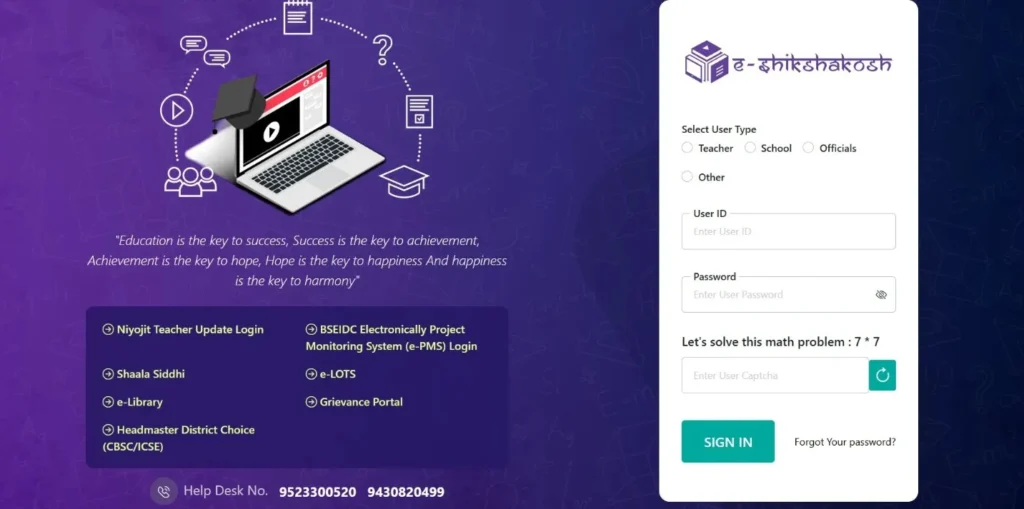
- Log in to eshikshaKosh portal
- Go to your profile or application status section
- Look for any payment-related updates
- Check if there is a processing status or remarks section
Now interpret what you see:
- If you find terms like “processed,” “forwarded,” or payment updates, your data is likely sent to the treasury
- If the status only shows “approved” with no further update, your data may still be stuck before treasury
The key is to look beyond basic status and find payment indicators.
Method 2 – Contact Your School or Block Office
If your dashboard does not give clear information, the next step is to verify manually.
You should:
- Contact your school headmaster or operator
- Ask them to check your backend status
- Confirm whether your data has been forwarded to the treasury
In many cases, school or block-level staff have access to more detailed status information that is not visible on your dashboard.
This method is especially useful if your status has not changed for several days.
Method 3 – Understand System Status Indicators
Even if there is no direct treasury label, system messages can tell you everything.
Here is how to read them:
- Processed / Forwarded → Your data has been sent to the treasury
- Pending at district/block → Your data is still waiting and not sent
- Under verification → Your application is incomplete
- Approved only → Not guaranteed that it is sent
Understanding these indicators is critical because they reveal the exact stage of your application.
Method 4 – Check for Payment Evidence
Another practical way to confirm treasury status is by looking for payment-related signs.
Check if:
- A transaction ID is generated
- Payment status is visible
- Any salary processing message appears
If none of these exist, your data is most likely not yet sent to the treasury.
Signs Your Data is NOT Sent to Treasury
If you are still unsure, these common signs clearly indicate that your data has not reached the treasury:
- Your salary is delayed for a long time
- Your status is stuck at “approved”
- There is no payment or transaction update
- Your dashboard shows no financial activity
- You are not receiving any salary-related notifications
If you see these signs, your issue is not payment failure — it is a process delay before the treasury stage.
What to Do If Your Data is Not Sent to Treasury
Once you confirm the issue, you need to act quickly. Here are the most effective steps:
1. Recheck Your Profile Details
Small errors can stop your data from moving forward.
Make sure:
- Your name matches official records
- Your bank details are correct
- Your IFSC code is accurate
- No required field is missing
Even a minor mismatch can delay the process.
2. Verify Bank Information
Your bank details must be completely accurate.
Check for:
- Correct account number
- Proper bank name
- Active account status
If your bank details are incorrect, the system may not forward your data.
3. Confirm Approval at All Levels
Sometimes approval is incomplete at a higher level.
Ensure:
- School-level approval is done
- Block or district-level verification is completed
If any level is pending, your data will not reach the treasury.
4. Contact School or Block Office
If everything looks correct but the issue remains:
- Visit or contact your block office
- Request manual verification
- Ask them to push or forward your data
This step often resolves delays faster than waiting. If you are using the eshikshakosh bihar app, you can also check your status directly from your mobile dashboard for faster updates.
Common Reasons Behind Treasury Delay
Understanding the cause helps you fix the issue faster.
Here are the most common reasons:
- Data mismatch between documents and portal
- Incomplete or pending verification
- Technical or server issues
- Delay in manual approvals
- Incorrect bank details
- System backlog during high traffic periods
Most delays happen due to simple issues that can be fixed quickly once identified.
Conclusion
In eshikshaKosh, it is not sufficient to check the approval status with a delayed salary. The most significant thing to do is to verify whether your data is sent to the treasury or not.
Just one check can save you days or even weeks of misunderstanding. When you have an understanding of where your process is stagnating, then you are in a position to take appropriate steps and address the problem in a shorter period.
Never forget: approval is a single step payment only commences after treasury processing has started.